ERP Software India · Sales Funda®
ERP Software for Manufacturing, Purchase, Inventory & More
Modular ERP software for Indian businesses: manufacturing on the floor, purchase and inventory in stores, CRM on the commercial side, plus accounts, HRMS, service and specialist apps. Each module can stand alone or connect on one organisation record.
Module map
Everything that can sit in your Sales Funda® ERP setup
Pick what you need now. Expand later — subject to requirement and technical feasibility.
Manufacturing (MFG)
Floor, job queue, BOM, QC, costing and production reports.
Open Manufacturing pagePurchase
Purchase orders and purchase bills on the vendor organisation.
Inventory
Multi-branch stock and inventory locations.
CRM & Sales
Enquiry, quotation, order and invoice on one customer file.
Billing & Accounts
Proforma, tax invoice, receipts and receivables visibility.
SF HRMS
HR, payroll and Indian statutory compliance.
Service & AMC
After-sales tickets, AMC and field visits.
Expense module
Staff / field expense claims against an organisation.
Travel CRM
Agency / tour operator lead-to-booking (specialist product).
Real Estate CRM
Prop — property consultant leads, inventory and CP commission.
SF Astra
Cloud platform and AI assistant shared across apps.
ERP by city
City guides for ERP software across India.
Featured · Manufacturing
Production floor inside the ERP story
When manufacturing is in scope, jobs, BOM and QC run in MFG — and material rates can pull from CRM purchase data. Deep dive on the dedicated Manufacturing page.

SF Manufacturing floor — see the full MFG feature page for BOM, QC and production reports
Purchase
Buy against real operational demand
- Purchase order (PO)Raise what you need on the vendor organisation so stores and accounts see the same order.
- Purchase billConvert the PO when the supplier invoice arrives — or enter a bill without a prior PO.
- Link to manufacturingMaterial rates on production reports can use current CRM purchase rates for BOM components.
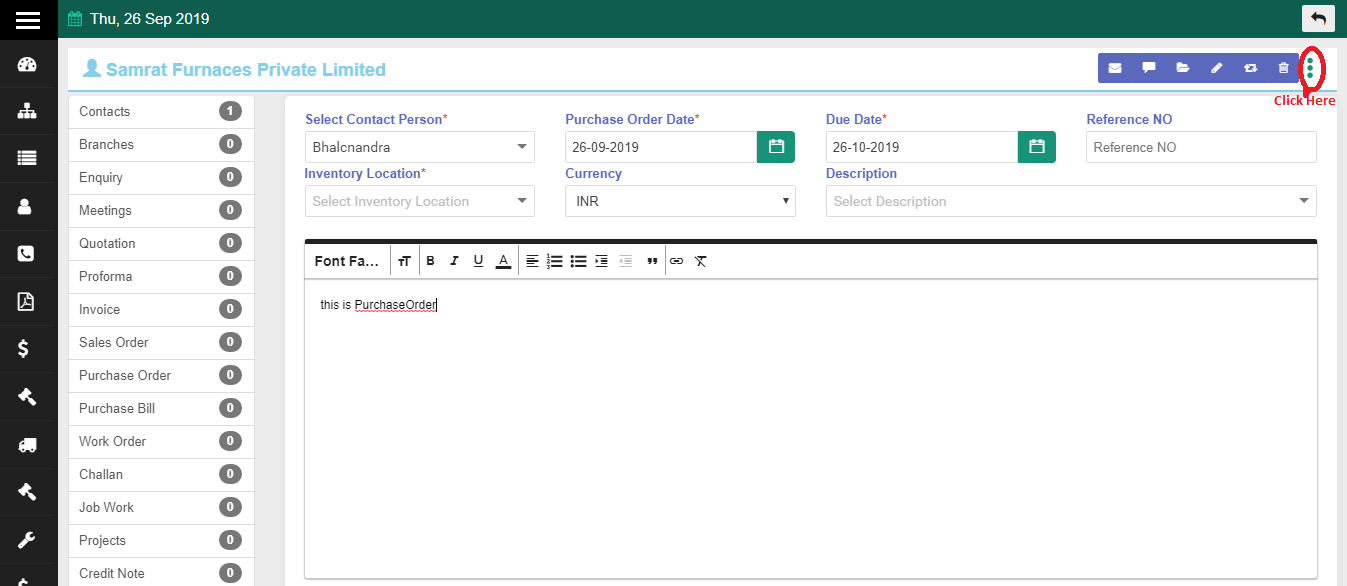
Raising a purchase order
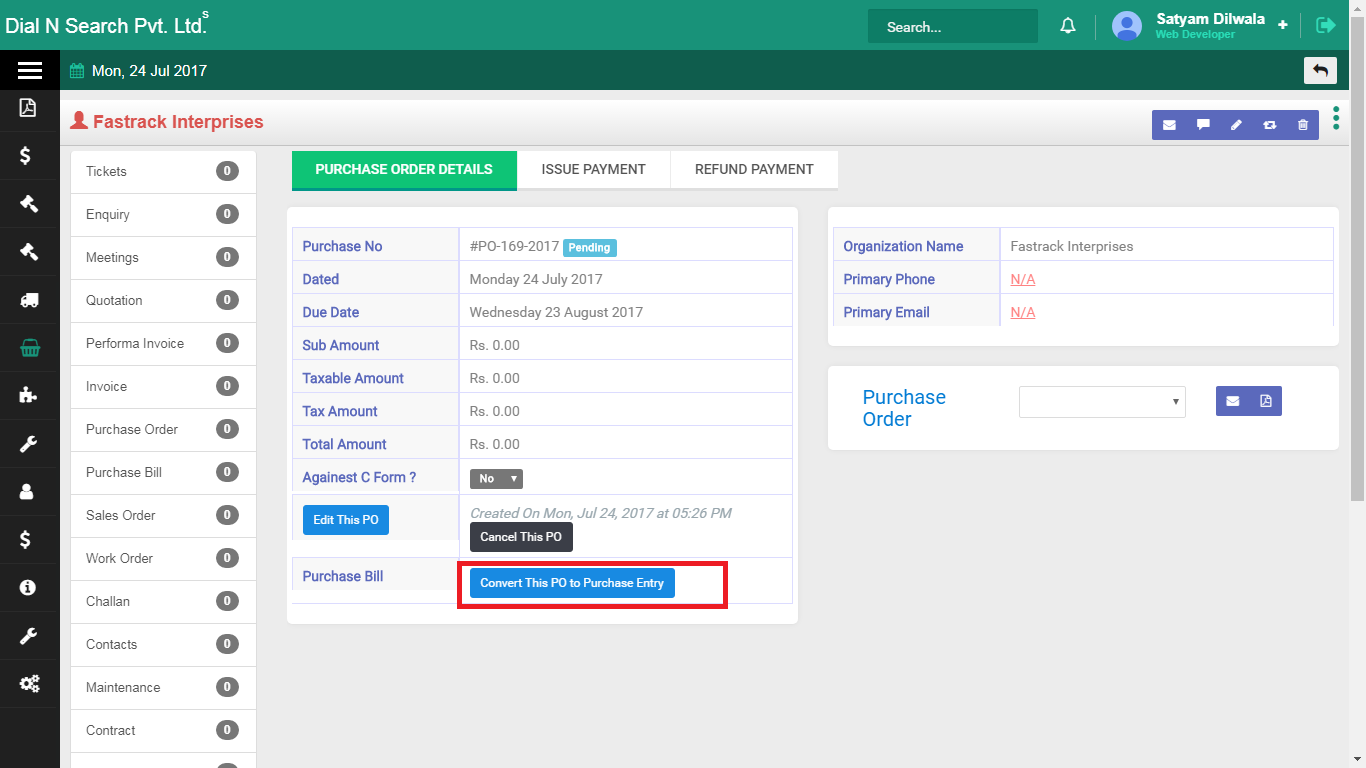
Convert PO to purchase bill
Inventory
Multi-branch stock that follows the commercial workflow
- HierarchyOrganisation → Company → Branch → Inventory location.
- Product masterSerial / installation flags where your products need them.
- FulfilmentStock supports delivery challan and installation in the same system.
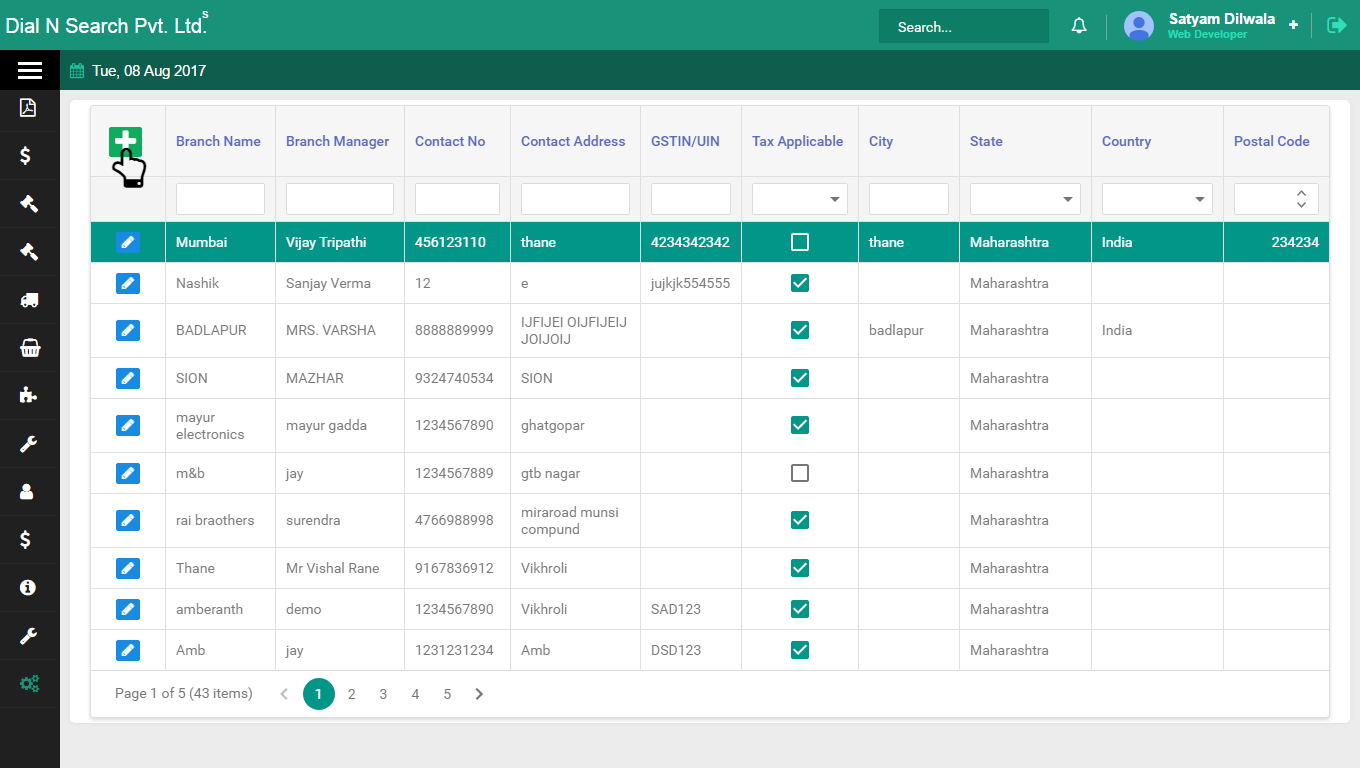
Branch master
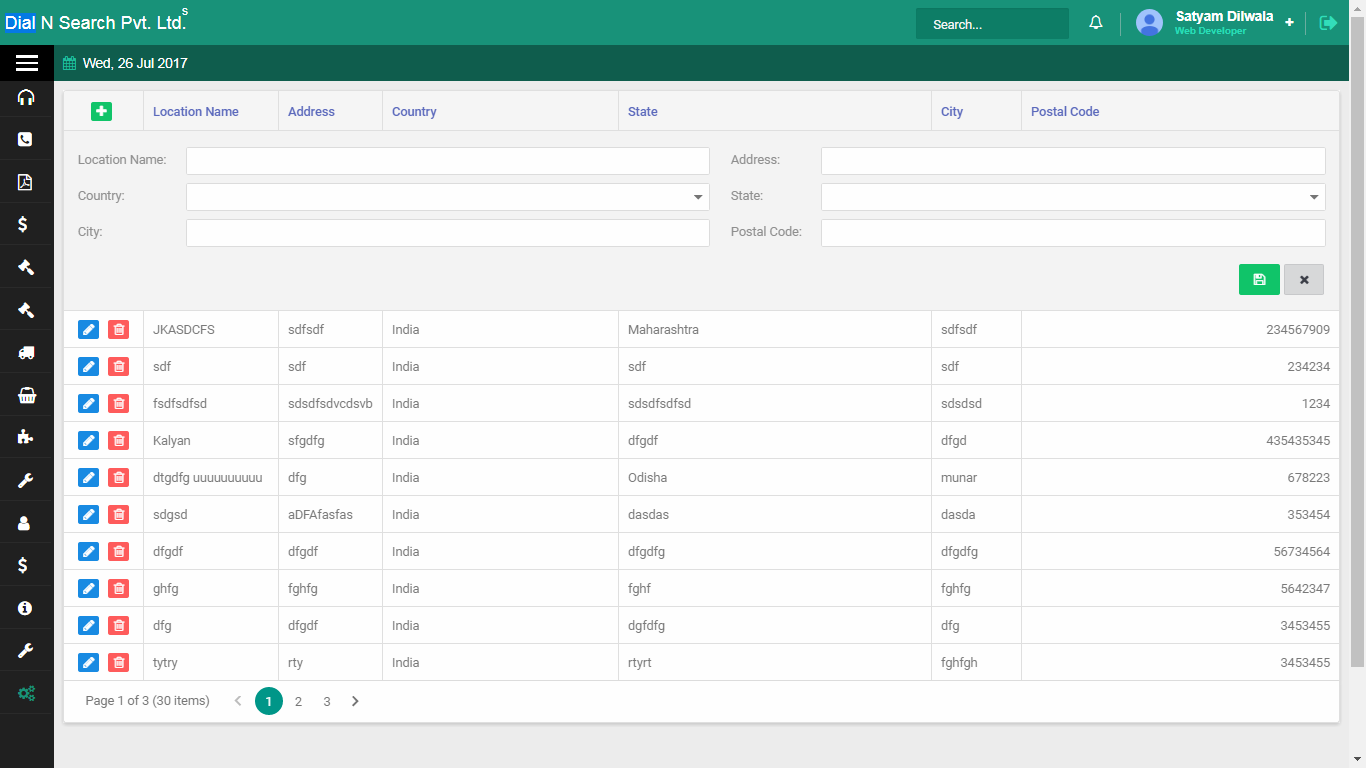
Inventory location
Expenses
Staff claims on the organisation — not a private spreadsheet
Expense request is money spent on the job (travel or site cost) recorded against the company visited. Accounts issues it. This is not a vendor purchase bill — and not Travel CRM.
- Staff claimField staff add the expense on that organisation.
- Accounts issueAccounts expands the row and issues the amount on the customer record.
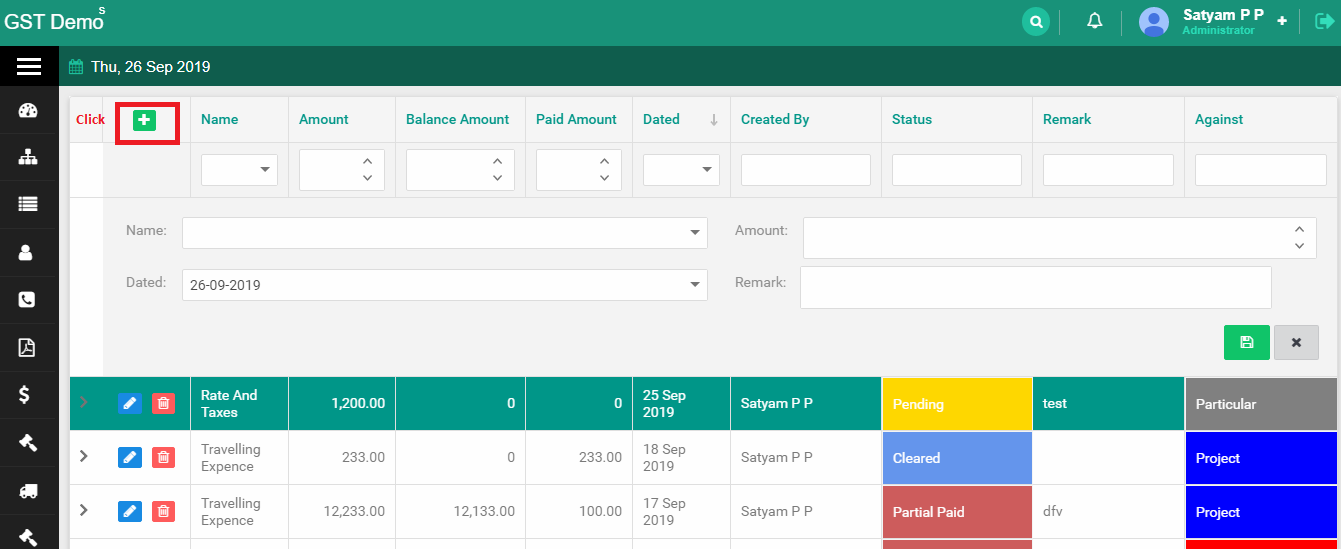
Add expense request
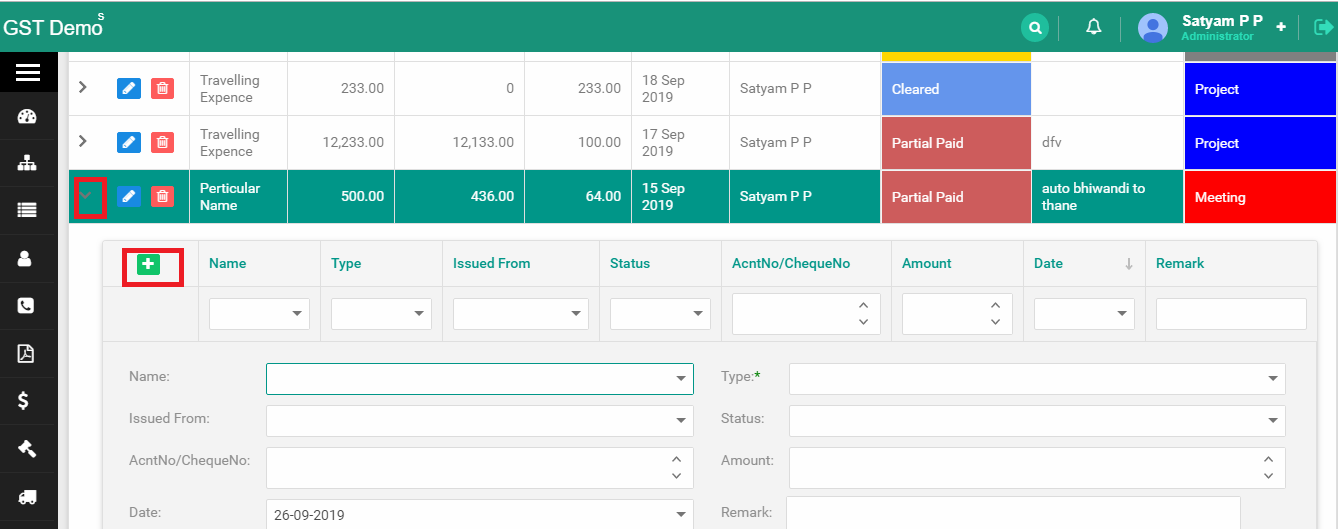
Accounts issues the expense
ERP software India
ERP Software demos across top Indian cities
Cloud ERP nationwide. Explore city guides for ERP Software near you — or book a demo from anywhere in India.
- ERP Software in Mumbai
- ERP Software in Delhi
- ERP Software in Bengaluru
- ERP Software in Hyderabad
- ERP Software in Chennai
- ERP Software in Pune
- ERP Software in Ahmedabad
- ERP Software in Kolkata
- ERP Software in Jaipur
- ERP Software in Surat
- ERP Software in Indore
- ERP Software in Nagpur
- ERP Software in Coimbatore
- ERP Software in Lucknow
- All cities · ERP Software hub
- Manufacturing Software cities
Your process
Customized Around Your Operational Workflow
Every organisation picks a different mix of manufacturing, purchase, inventory, CRM and HR. Sales Funda® ERP can be configured around the modules and paths you actually run.
- Which modules go live first (MFG, purchase, CRM, HRMS…)
- Purchase and stock flows for your stores
- Branch and inventory-location structure
- How manufacturing jobs connect to purchase rates and dispatch
Configured and adapted around your workflow — subject to requirement and technical feasibility.
Tell us how your business works.
Roles, approvals, data and reports you need.
Configured and customized around your workflow.
Map your ERP Software modules in a demo
We will show how manufacturing, purchase, inventory and the rest of Sales Funda® ERP Software can fit your workflow — without forcing modules you do not need.